

Office decommissioning is the full process of shutting down a workspace. It covers retiring assets, wiping data, ending utilities and service contracts, removing furniture and returning the space under your lease. It works best as a checklist that starts about 90 days before the closing date.
Closing an office touches almost every part of a business. Finance, IT, facilities and HR all have tasks. Without one plan, something always slips through, like a forgotten copier lease or a storage room full of files.
What is the difference between an office move and office decommissioning?
| Office move | Office decommissioning | |
|---|---|---|
| Goal | Set up the same team in a new space. | Close the space for good. |
| Furniture | Most of it moves. | Most of it is sold, donated or removed. |
| IT | Equipment is moved and reconnected. | Equipment is wiped, returned or recycled. |
| Contracts | Transferred to the new address. | Ended or bought out. |
| End point | First day in the new office. | Landlord accepts the empty space. |
What is on an office decommissioning checklist?
90 days out: plan and inventory
- ✓Read the lease. Note the surrender date, restoration terms and notice rules.
- ✓List every asset. Pull the fixed asset register and walk the space to match it.
- ✓List every contract. Copiers, phones, internet, alarm, cleaning and water service.
- ✓Name one owner. Give one person authority to make final calls.
60 days out: decide and book
- ✓Tag each asset. Keep, sell, donate, recycle or dispose.
- ✓Give notice. Cancel or transfer service contracts with the notice they require.
- ✓Book vendors. Movers, cleanout crew, shredding and IT recycling.
- ✓Plan records. Decide which files to keep, scan, store or shred.
30 days out: data and access
- ✓Wipe or remove drives. Every computer, copier and phone system with storage.
- ✓Return leased equipment. Copiers and phone gear go back to their vendors.
- ✓Reserve building access. Freight elevator and dock time for removal days.
- ✓Tell your contacts. Update clients, vendors and the post office.
Final two weeks: clear and hand back
- ✓Remove furniture and equipment. Move keepers and clear the rest.
- ✓Final utility readings. Close accounts that are in your name.
- ✓Collect keys and badges. Match them to your access list.
- ✓Walk through with the landlord. Get written acceptance of the space.
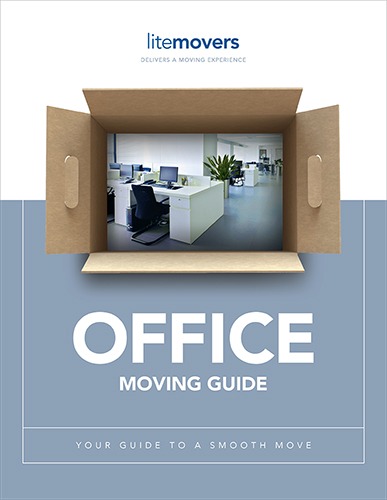
Want a printable planning tool? Download our free office moving guide.
How should you handle assets during office decommissioning?
Retiring assets has a tax side. Removing fully depreciated furniture usually has no tax effect. Assets with value left on the books may create a deductible loss when you dispose of them.
Talk with your accountant before the cleanout. Our office furniture removal and depreciation guide explains the basics. For full IRS rules, see IRS Publication 946.
Please note: This is general information, not tax advice. Review asset decisions with your CPA.
What are the most common office decommissioning mistakes?
- ✓Forgetting copier drives. Many copiers store images of every page they scanned.
- ✓Missing contract notice dates. Some service contracts need 60 or 90 days of written notice.
- ✓Skipping the storage cage. Basement and off-site storage units are easy to overlook.
- ✓Leaving the mail behind. Set up mail forwarding before the last day in the space.
- ✓Starting too late. A rushed close often means paying holdover rent for extra days.
Closing an office?
We handle the physical side: moving what stays, clearing what goes and leaving the space ready.
Office decommissioning help near Philadelphia
LiteMovers works with businesses, institutions and property managers across Greater Philadelphia. We handle commercial junk removal, storage and commercial moves in one plan.
See our lease end cleanout guide for more on handing the space back.
Office Decommissioning FAQs
What does office decommissioning mean?
Office decommissioning is the process of permanently closing a workspace. It includes retiring furniture and equipment, wiping data from devices, ending utilities and service contracts, handling records, and returning the empty space to the landlord. It is broader than an office move because nothing is set up again.
How long does it take to decommission an office?
Most businesses should plan about 90 days. The physical cleanout may only take a few days, but contract notices, data wiping, records decisions and vendor booking take longer. Larger offices and spaces with server rooms or storage areas often need the full three months.
What should I do with computers when closing an office?
Wipe or remove the hard drives first, including those inside copiers and phone systems. Return leased equipment to its vendor. Recycle the rest through a certified electronics recycler, since Pennsylvania bars computers and monitors from regular trash. Keep records of what was wiped and recycled.
Who should manage an office decommissioning project?
Name one owner with authority to make final decisions, often an operations or facilities manager. That person coordinates IT, finance, HR and outside vendors. One owner prevents gaps, like a contract nobody cancelled or a storage room nobody checked before the landlord walkthrough.
Plan your office closing
Get a cleanout and moving plan built around your decommissioning checklist.
LiteMovers LLC · 307 East Church Rd, Suites 1 & 2, King of Prussia, PA 19406 · (610) 755-5535 · Toll-free 1-877-798-8989 · moves@litemovers.com
Licensed and insured · PA PUC A-8916211 · USDOT 2173383 · MC-888055

Comments are closed.