

Moving is stressful for everyone — but for remote workers, it carries an extra layer of complexity. Your home office isn’t just furniture and décor. It’s your livelihood. A delayed internet setup, a damaged monitor, or a misfiled tax document can translate directly into missed deadlines, lost income, or compliance headaches.
If you work from home and you’re planning a move, this guide is built specifically for you. We’ll walk you through how to relocate your moving home office with minimal downtime, protect your equipment, and set yourself up for productivity from day one in your new space.
Why Moving a Home Office Is Different
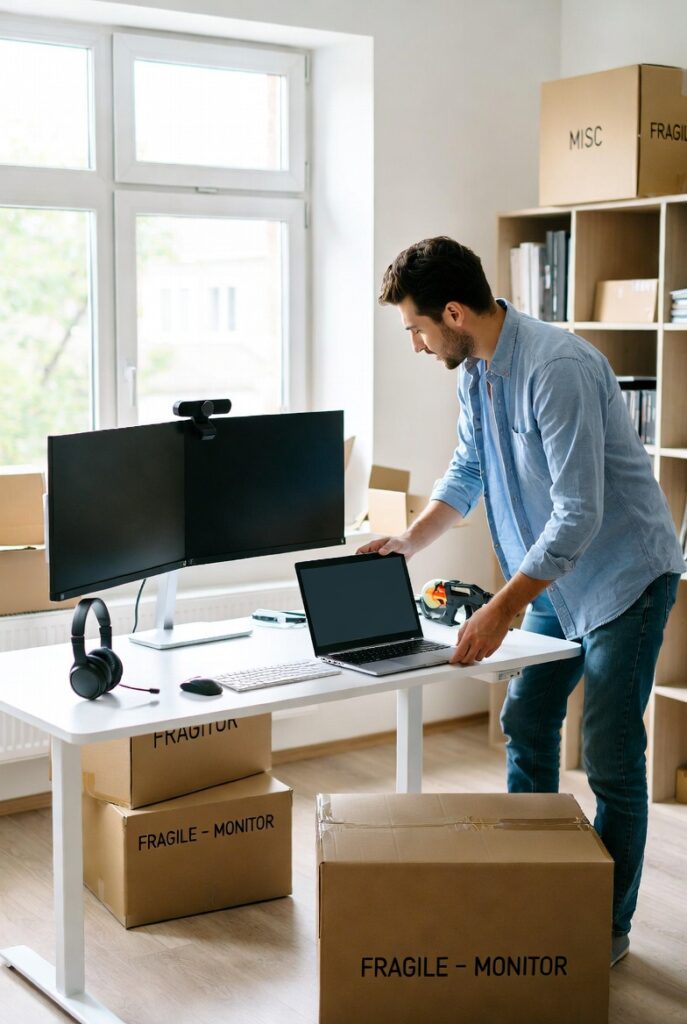
Moving a Home Office – Remote Worker Packing Tech Equipment
Most moving guides treat office equipment as an afterthought. A box labeled “office stuff” and a prayer. But for remote workers, that box might contain thousands of dollars in specialized hardware, proprietary software licenses tied to specific machines, sensitive client data, and the tools you need to pay your mortgage.
Here’s what makes moving a home office uniquely challenging:
- Equipment sensitivity: Monitors, desktops, external drives, and drawing tablets are fragile and expensive.
- Cable and connectivity chaos: Reassembling a multi-monitor, high-speed setup in a new space takes time.
- Tax and legal considerations: Your home office may qualify for deductions — and your address change has implications for both.
- Productivity continuity: Unlike an in-person employee, you can’t “work from the office” while your home setup is down.
Planning ahead makes all the difference.
Step 1: Audit Your Home Office Before You Pack a Single Box
Before anything gets wrapped in bubble wrap, do a full inventory of your home office. This serves two purposes: it helps your movers understand what needs special handling, and it helps you decide what to upgrade, replace, or leave behind.
What to Document
- Every piece of hardware (computer, monitors, printers, webcams, headsets, external drives)
- Serial numbers and approximate values for insurance purposes
- Software licenses and any hardware dongles
- Networking equipment (router, modem, switches, ethernet cables)
Take photos of your current cable setup — specifically the back of your desk, power strip arrangement, and how cables route to each device. Future-you will be very grateful when you’re reassembling everything in a new room.
Step 2: Plan Your New Home Office Space in Advance
Don’t wait until move-in day to figure out where your office will go. Visit your new home or study the floor plan and identify:
- Natural light: Where does sunlight fall at the times you typically work? Glare on monitors is a productivity killer.
- Outlet placement: Will you need power strips, surge protectors, or an electrician to add outlets?
- Internet infrastructure: Where is the router likely to go? Will you need a mesh network or ethernet runs for a hardwired connection?
- Noise and privacy: If you’re on video calls all day, proximity to busy rooms matters.
Once you’ve chosen your room, measure it. If you’re buying new furniture for the move, make sure your desk and chair fit comfortably before they arrive.
Step 3: Pack Your Tech the Right Way
This is where most home office moves go wrong. Here are the packing rules we follow at Litemovers for professional and home office equipment:
Use Original Packaging When You Can
Original boxes are engineered for your specific device. If you’ve kept them, now is the time to use them.
For Monitors
Wrap each monitor in anti-static bubble wrap, then place it upright in a double-walled box. Never lay monitors flat — the weight distribution during transport can crack the panel. Label each box “FRAGILE – MONITOR – THIS SIDE UP.”
For Desktops and Towers
Remove any unsecured components (graphics cards, RAM if it’s a long move) and transport them separately if possible. Wrap towers in anti-static foam or bags, not regular plastic.
For Cables
Use cable ties and label each cable before you unplug it. Zip-lock bags sorted by device (“monitor cables,” “desk lamp,” “audio”) save hours of frustration during setup.
For External Drives and Sensitive Data
Consider hand-carrying any external hard drives, USB drives, or devices containing sensitive client data. These are small enough to travel with you and too important to risk in a moving truck.
Step 4: Manage the Internet Gap
This is the part remote workers dread most: being without reliable internet. Plan for it explicitly.
- Schedule service transfer early: Contact your internet provider at least two to three weeks before your move. If you’re switching providers, confirm installation dates before moving day.
- Know your backup: A mobile hotspot through your cell carrier can keep you online for light work tasks while you wait for home internet setup.
- Communicate with clients and your team: Give advance notice about any expected downtime. A brief email or Slack message goes a long way toward managing expectations.
If your new home doesn’t have fiber service available, now is a good time to research providers through resources like the FCC Broadband Map to compare what’s available at your new address before you finalize your move.
Step 5: Update Your Address — and Your Tax Situation
Moving your home office isn’t just a logistics exercise. It may have real financial and legal implications.
Address Updates
Update your address with:
- Your employer or clients (especially important for 1099 contractors)
- The IRS (Form 8822)
- Your state tax authority
- Professional licenses and certifications
- Banking, invoicing, and payment platforms
Home Office Deductions
If you currently claim a home office deduction, your new space will need to meet the same IRS requirements: used regularly and exclusively for business. Document the square footage of your new office immediately, and consult your accountant about the implications of moving mid-year. The IRS Publication 587 covers home office deductions in detail.
Step 6: Prioritize Your Office Setup on Move-In Day
Resist the urge to unpack the kitchen first. If you have work the next day, your office comes first.
Create a “first night” box — or, better, a dedicated office setup kit — that contains:
- Your laptop or primary computer
- Power adapters and essential cables
- Your webcam and headset
- A notepad and chargers
- Your router and modem
Even if your permanent office furniture isn’t assembled yet, a folding table and your laptop can keep you productive while the rest of the home gets sorted.
The Litemovers Advantage for Home Office Moves
At Litemovers, we understand that for remote workers, your equipment isn’t just property — it’s your business. Our team is trained in careful handling of electronics, monitors, and tech equipment. We can help you:
- Pack and transport your moving home office with precision
- Coordinate move timing to minimize your downtime
- Label and organize boxes so your office setup comes first
We’ve helped hundreds of professionals and remote workers relocate without missing deadlines or losing gear. Whether you’re moving across town or across the state, we’re here to make it seamless.
Ready to Relocate Without the Headaches?
Don’t leave your livelihood to chance. Contact Litemovers today for a free, no-obligation quote. Tell us about your home office setup and we’ll build a moving plan that protects what matters most.
📞 Call us or visit our website to get started — because your next chapter deserves a smooth start.
© 2026 Litemovers. All rights reserved.